
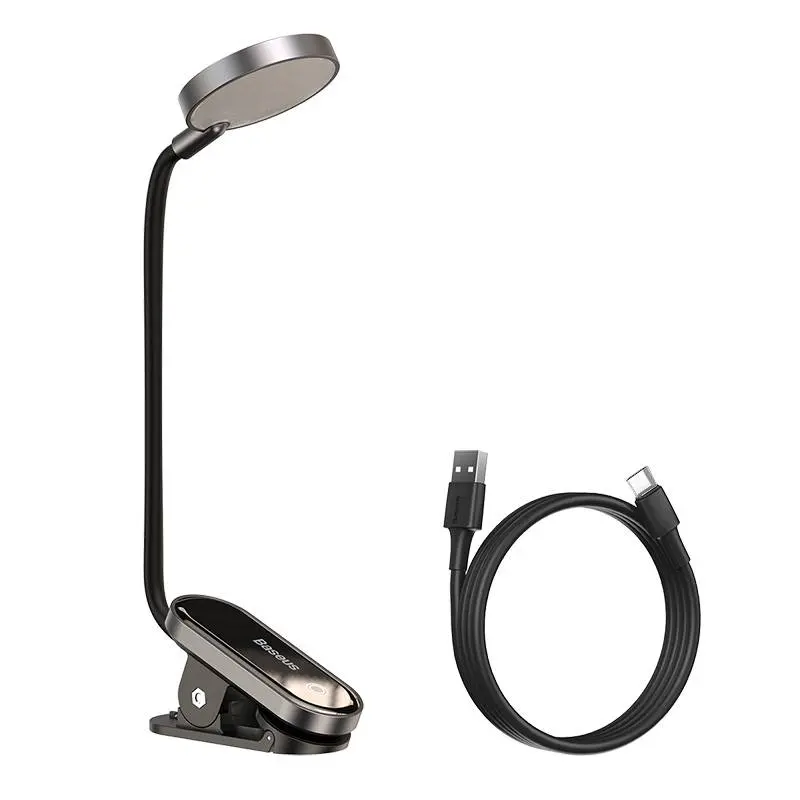
Monitor light bars at RPD — the elegant alternative to a classic desk lamp. A BenQ ScreenBar-style monitor light bar sits directly on the top edge of the monitor, lights the desk asymmetrically and avoids reflections on the display. Power comes via USB-A, the built-in touch dimmer sets brightness (~500 lux at the desk) and colour temperature (3000–6500 K). An eye-care solution for home office, co-working and long coding sessions. Ships from our Basel warehouse, same-day dispatch by 4 pm, free above CHF 15 and 2-year Swiss warranty. Invoice payment available (credit check by Powerpay).
A light bar with a special lens that throws light down onto the desk, not back onto the monitor — no reflections, no glare.
EN 12464-1 recommends about 500 lux. Detailed reading 500–750 lux. Premium monitor lamps deliver 300–500 lux at 50 cm from the screen.
Office standard 4000 K (neutral white). Focused work 5000–6500 K (daylight). Evening 2700–3000 K (warm white).
iMac 24″ (M3/M4) has an 11.5 mm top edge — fits every standard bar. Apple Studio Display 30 mm and Pro Display XDR 27 mm fit too.
No, power comes via USB-A or USB-C from the monitor hub or MacBook hub. Draw is 3–6 W — any USB port can supply it.
Most important question: which monitor design? Standard flat screens (LCD, OLED) with a top bezel up to 1 cm thick take any light bar with a standard clamp. Curved monitors like LG UltraGear / Samsung Odyssey need bars with curved clamps. Apple Studio Display is 30 mm thick — works with a standard clamp. Brightness around 500 lux is the office standard per EN 12464-1, colour temperature 4000 K for focused work, 5000–6000 K for detailed reading.
An asymmetric light bar uses a special lens that throws the light forwards and down onto the desk, not back onto the monitor. The benefit: no reflections on the display, no glare in your eyes. Symmetrical desk lamps light in all directions and reflect on the screen — hence the monitor light bar recommendation for screen work. CRI ≥ 95 (colour rendering index) is the premium standard — colours are shown true to life.
The clamp fits standard screens with a top edge 0.5–4 cm (standard) or 1.5–6 cm (Pro versions for iMac, Studio Display, curved). iMac 24″ (M3/M4) has an 11.5 mm thin top edge — works with a standard clamp. Apple Studio Display 30 mm — fits. Power comes via USB-A or USB-C — the monitor''s built-in USB hub or your MacBook USB-C hub is enough. No separate outlet needed, no extra cable on the desk.
A touch dimmer on the bar steplessly tunes brightness and colour temperature — ideal for long sessions. Flicker-free DC LED drivers without PWM pulsing protect the eyes, an anti-glare diffuser minimises dazzle. Housings in recycled aluminium on premium models (BenQ ScreenBar Halo / Pro), USB cables with halogen-free LSZH jacket. CE-EMC and RoHS are standard, some models add TÜV-certified low-blue-light for offices.
A light bar with a special lens that throws light down onto the desk, not back onto the monitor. Result: no reflections on the display, no glare — ideal for screen work.
EN 12464-1 recommends about 500 lux at the workspace. For detailed reading 500–750 lux. Premium monitor lamps deliver 300–500 lux at 50 cm distance from the screen.
Office standard: 4000 K (neutral white). Focused work and code reading: 5000–6500 K (daylight). Evening sessions: 2700–3000 K (warm white) — kinder to the circadian system.
iMac 24″ (M3/M4) has an 11.5 mm top edge — fits every standard bar. Apple Studio Display 30 mm and Apple Pro Display XDR 27 mm fit too.
No, power comes via USB-A or USB-C from the monitor''s hub or your MacBook USB-C hub. Draw is 3–6 W — any USB port can supply it.
Shipped from our Basel warehouse — A-Post 1–2 working days, express next business day or free pickup in Basel, Aarau or Olten (same-day Switzerland-wide for orders before 4 pm). 2 years Swiss warranty on all products, 14-day returns. Invoice payment available (credit check by Powerpay), best-price guarantee CH. Where possible we use recycled materials and sustainable packaging. Visit one of our three stores for personal advice — bring your device and we will find the matching accessory together.