
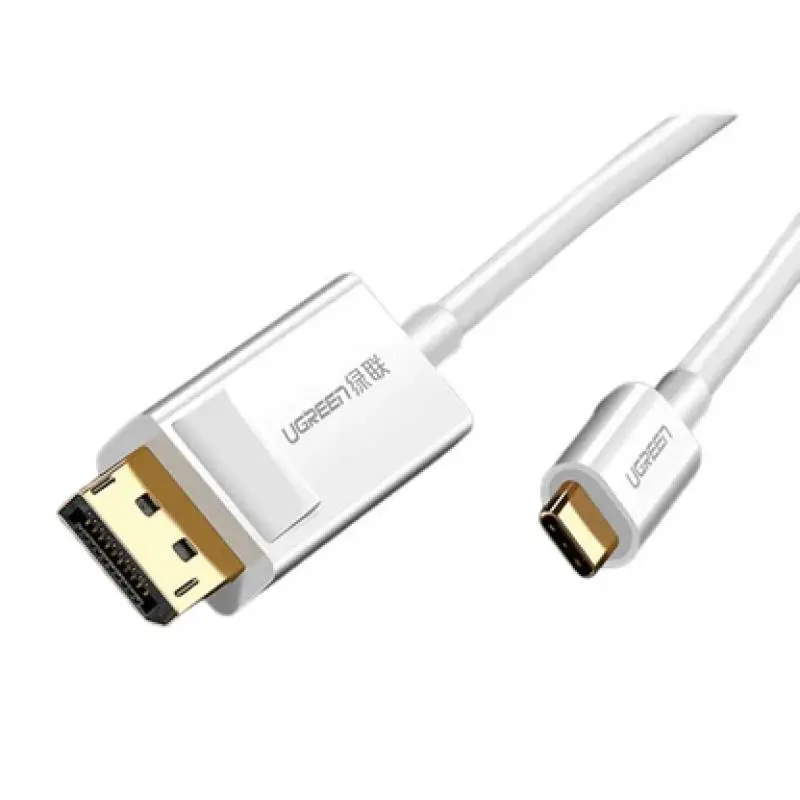
DisplayPort cables at RPD — from the standard office cable to the premium DP 2.0 strand for 4K gaming and 8K studio setups. DP 1.4 delivers 4K at 120 Hz or 8K at 60 Hz and is standard for modern GPUs (Nvidia RTX 30/40, AMD Radeon RX 6000/7000) and PS5/Xbox PC builds. DP 2.0/2.1 reaches 16K@60 Hz and is the future for RTX-50 gaming. Mini-DisplayPort adapters for Mac connections are in stock too. Ships from our Basel warehouse, same-day dispatch by 4 pm, free above CHF 15 and 2-year Swiss warranty. Invoice payment available (credit check by Powerpay).
DP 1.4 is enough for 99 % of users (4K at 120 Hz, 8K at 60 Hz). DP 2.0/2.1 only pays off for RTX-50 gaming at 8K or next-gen VR headsets.
Yes, via the Thunderbolt 4 / USB-C port on MacBook Pro M-series. You need a USB-C to DisplayPort cable or an adapter.
Copper cables up to 3 m deliver full bandwidth. Up to 15 m needs active DP, beyond that hybrid optical fibre.
Display Stream Compression — lossless bandwidth reduction by roughly 3×, enables 4K at 120 Hz or 8K at 60 Hz over DP 1.4.
Yes, any DP 1.2 cable carries Adaptive Sync. For G-Sync Ultimate, certified DP 1.4 cables are recommended.
For office at 4K and 60 Hz DP 1.2 is enough. For 4K gaming at 120 Hz or 8K studio at 60 Hz you need DP 1.4 (VESA-certified). For RTX-50 / 8K gaming at 120 Hz or 16K setups DP 2.0/2.1 is mandatory. HDR10+ and Dolby Vision on studio monitors also call for DP 1.4 or newer with full DSC support. Look for VESA certification — cheap uncertified cables rarely deliver the full bandwidth.
DP 1.2 = 17.28 Gbps → 4K@60 Hz. DP 1.4 = 25.92 Gbps + DSC → 4K@120 Hz / 8K@60 Hz. DP 2.0/2.1 = up to 77.4 Gbps → 8K@120 Hz / 16K@60 Hz, native VR headsets. DSC (Display Stream Compression) is lossless bandwidth reduction — every DP 1.4 cable with DSC support hits the high refresh rates without quality loss.
Nvidia RTX 30/40 has 3× DisplayPort 1.4a + 1× HDMI 2.1, AMD Radeon RX 7000 has 3× DisplayPort 2.1 + 1× HDMI 2.1. PS5 and Xbox Series X have no DisplayPort — only HDMI 2.1. MacBook Pro M2/M3/M4 uses Thunderbolt 4 / USB-C → DisplayPort via adapter or USB-C to DP cable. Mini-DisplayPort (Macs before 2016) is adapter-compatible with standard DP.
Copper DP cables are lossless up to 2–3 m. For longer runs (5–15 m) you need active DP cables with integrated signal booster or fibre-optic solutions. Braided nylon jackets extend life, gold-plated plugs prevent corrosion. Look for VESA certification, halogen-free LSZH jackets for office fire safety and CE-EMC compliance.
DP 1.4 is enough for 99 % of users (4K at 120 Hz, 8K at 60 Hz). DP 2.0/2.1 only pays off for RTX-50 gaming at 8K or next-gen VR headsets. Both standards are backwards-compatible.
Yes, via the Thunderbolt 4 / USB-C port on the MacBook Pro M-series. You need a USB-C to DisplayPort cable or an adapter. Mini-DisplayPort (older Macs) to standard DP via adapter.
Copper cables up to 3 m deliver full bandwidth. Up to 15 m needs active DP with signal booster, beyond that hybrid optical fibre.
Display Stream Compression — lossless bandwidth reduction by roughly 3×, to enable 4K at 120 Hz or 8K at 60 Hz over DP 1.4. Imperceptible to the eye, VESA-certified.
If monitor and GPU support Adaptive Sync — yes, every DP 1.2 cable carries the signal. For G-Sync Ultimate, certified DP 1.4 cables are recommended.
Shipped from our Basel warehouse — A-Post 1–2 working days, express next business day or free pickup in Basel, Aarau or Olten (same-day Switzerland-wide for orders before 4 pm). 2 years Swiss warranty on all products, 14-day returns. Invoice payment available (credit check by Powerpay), best-price guarantee CH. Where possible we use recycled materials and sustainable packaging. Visit one of our three stores for personal advice — bring your device and we will find the matching accessory together.