
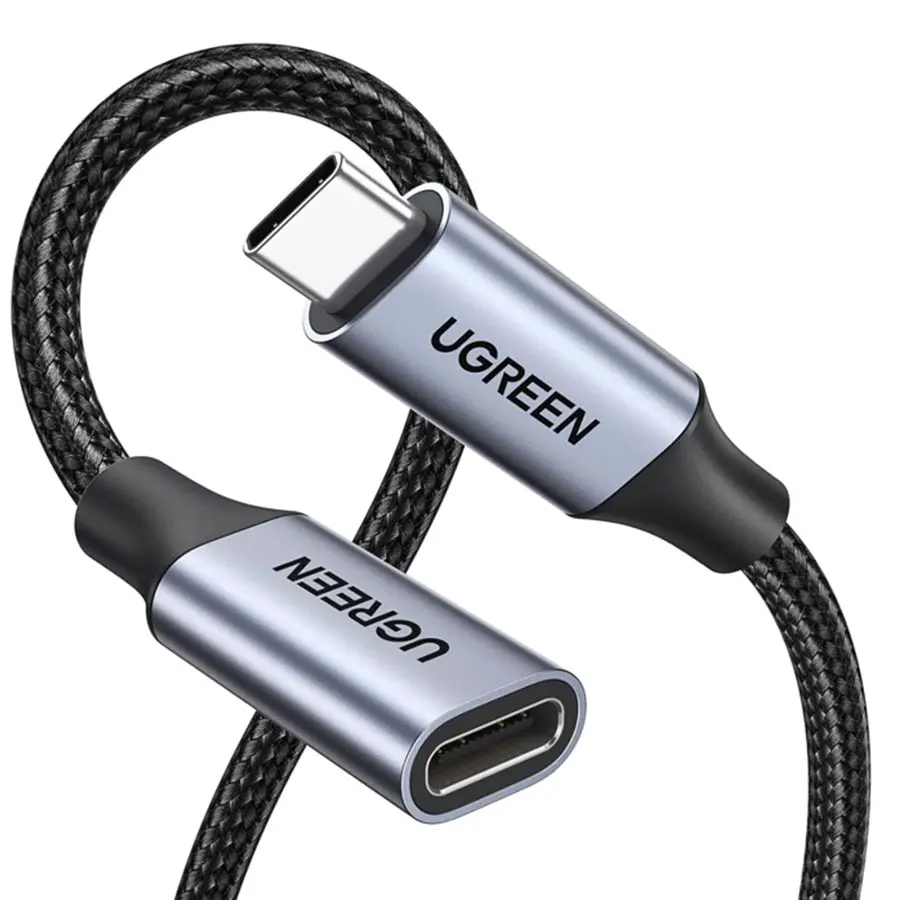
USB-C cables at RPD — from the standard USB 2.0 charge cable for iPhone and AirPods to USB4 Thunderbolt 4 cables at 40 Gbps and PD 100 W for MacBook + 4K monitor + external SSD. We stock short 0.5 m models for direct MacBook-to-monitor connection, 1 m and 2 m for tablet and notebook charging, plus braided premium cables with reinforced strain relief. Ships from our Basel warehouse, same-day dispatch by 4 pm, free above CHF 15 and 2-year Swiss warranty. Invoice payment available (credit check by Powerpay).

Ugreen

Ugreen
iPhone charging: USB 2.0 is enough. iPad Pro + external SSD: USB 3.2 Gen 2 (10 Gbps). MacBook + 4K monitor: USB4 or Thunderbolt 4 (40 Gbps).
With PD 100 W: MacBook Air 30 W, MacBook Pro 14″ 70–96 W, MacBook Pro 16″ 140 W (USB-C PD 3.1). E-Marker chip mandatory for 100 W+.
USB 2.0: up to 4 m. USB 3.2 Gen 2: up to 1 m passive, up to 3 m active. USB4 / Thunderbolt 4: 0.8 m passive for 40 Gbps, up to 2 m active.
USB-C can carry a DisplayPort signal — your MacBook outputs 4K or 5K video straight from the USB-C port. Needs USB 3.x or USB4 spec cable.
Yes, backwards-compatible. Transmits 20 W to an iPhone 15+ without issue — just pricier than a dedicated 20 W USB 2.0 cable.
Charging iPhone and AirPods only: USB 2.0 USB-C to USB-C with PD 20–60 W is enough. iPad Pro with Pencil and external SSD: USB 3.2 Gen 2 (10 Gbps) with PD 60 W. MacBook + 4K or 5K monitor + USB hub: USB4 or Thunderbolt 4 (40 Gbps) with PD 100 W. Full display bandwidth and data rates only come with the correct standard — cheap uncertified cables often deliver only USB 2.0 despite the USB-C plug.
USB 2.0 = 480 Mbps + PD up to 240 W — charge cable, no fast data. USB 3.2 Gen 2 = 10 Gbps + PD 100 W — external SSDs and standard monitor. USB 3.2 Gen 2×2 = 20 Gbps. USB4 = 40 Gbps + PD 240 W + DisplayPort 2.1 Alt Mode — current MacBook M2/M3/M4. Thunderbolt 4 = USB4 + guaranteed 40 Gbps, 2× 4K or 1× 8K, MFi-certified. Thunderbolt 5 = 80 Gbps (M4 MacBooks). Lengths: 40 Gbps only up to 1 m passive, longer cables must be active (built-in chip).
MacBook Pro M2/M3/M4 has 3× Thunderbolt 4 / USB4. MacBook Air M2/M3 has 2× Thunderbolt 3 (40 Gbps). iPad Pro M4 (2024) also Thunderbolt 4. iPhone 15/16/17 = USB-C, Pro models with USB 3.0 (10 Gbps), Standard with USB 2.0 (480 Mbps). Android flagships (Galaxy S25, Pixel 9, Xiaomi 14): USB 3.x with PD 25–45 W. For pro photogrammetry or video: a short USB 3 cable to an iPhone Pro enables direct ProRes export.
Premium cables have braided nylon jackets for long life (10 000+ bends) and aluminium connectors that dissipate heat. USB-IF certification and an E-Marker chip for 60 W+ PD are mandatory — cheap cables without E-Marker charge only at 60 W, not the 100 W of a MacBook Pro 16″. CE-EMC and RoHS are standard, some brands use recycled copper and PCR plastic.
iPhone charging: USB 2.0 is enough. iPad Pro + external SSD: USB 3.2 Gen 2 (10 Gbps). MacBook + 4K monitor + SSD: USB4 or Thunderbolt 4 (40 Gbps). For the newest M4 MacBooks Thunderbolt 5 pays off for 8K setups.
With PD 100 W: MacBook Air 30 W, MacBook Pro 14″ 70–96 W, MacBook Pro 16″ 140 W (USB-C PD 3.1, USB4 cable minimum). Important: cable with E-Marker chip, otherwise it caps at 60 W.
USB 2.0: up to 4 m. USB 3.2 Gen 2: up to 1 m passive, up to 3 m active. USB4 / Thunderbolt 4: 0.8 m passive for 40 Gbps, up to 2 m active.
USB-C can carry a DisplayPort signal — your MacBook outputs 4K or 5K video straight from the USB-C port. You need a USB 3.x or USB4 spec cable, not a plain USB 2.0 charge cable.
Yes, backwards-compatible. It transmits 20 W to an iPhone 15+ without issue — it''s just pricier than a dedicated 20 W USB 2.0 cable.
Shipped from our Basel warehouse — A-Post 1–2 working days, express next business day or free pickup in Basel, Aarau or Olten (same-day Switzerland-wide for orders before 4 pm). 2 years Swiss warranty on all products, 14-day returns. Invoice payment available (credit check by Powerpay), best-price guarantee CH. Where possible we use recycled materials and sustainable packaging. Visit one of our three stores for personal advice — bring your device and we will find the matching accessory together.